
Appearance
Async settling
When a workflow fires, its steps run server-side over roughly 1–2 seconds. The UI shows the trigger field updating immediately, then the rest of the affected fields update together once the network response arrives. Knowing the timing prevents surprises during testing and API integration.
Async settling is a runtime behavior, not a configuration. You don't tune it; you design around it.
The document's History tab is where the settling shows up after the fact — the OCR service, post-processing and the Mapping service each leave their own entry, seconds apart.
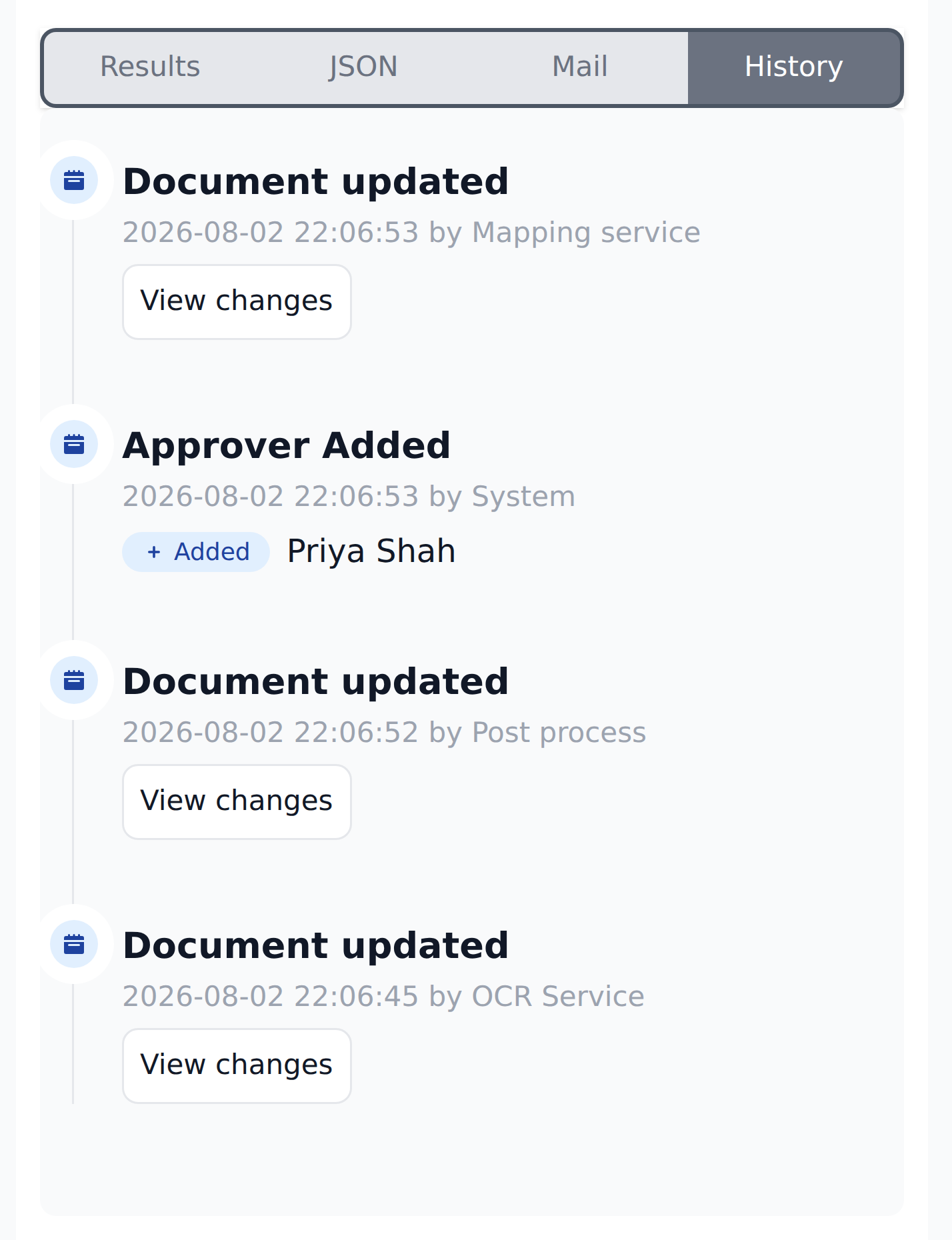
What you see in Studio
A reviewer picks vendorName = Keystone in Studio. From their perspective:
- Immediately: the
vendorNamefield shows "Keystone." The pick is committed locally. - Roughly 1–2 seconds pass. The workflow executes server-side. The UI is responsive — you can keep editing other fields — but the workflow's other writes haven't arrived yet.
- The writes arrive in one batch. The network response carries the full set of writes from every step in the workflow. The UI re-renders the affected fields together — vendorAccount, currency, accountant, warehouse, and so on all update in one pass.
There isn't a visible step-by-step progression where you see vendorAccount update first, then currency, then accountant. The render is "trigger field updates" then "everything else updates together."
The settle time is roughly 1–2 seconds for most workflows.
Why async
Workflows execute server-side because the engine needs:
- Entity data (which lives server-side).
- Mapping definitions (which live server-side).
- Workflow configuration (which lives server-side).
Running them in the browser would mean shipping all that data to every reviewer's session. Server-side execution is the right model. The 1–2 second settle is the cost.
What this means for API consumers
For systems polling Recognito's API for document state:
- After a manual edit in Studio, there's a brief window where the API may return mid-cascade state. The trigger field has its new value but the workflow's other writes haven't committed.
- After Document Analysed events, the document is published only after
Initial_Workflowhas fully settled. API consumers don't see mid-cascade state for the initial pass — only the fully-settled post-workflow state. - For real-time use cases (live dashboards updating as documents move), the webhook stream is more reliable than polling. Each webhook event carries fully-settled data.
Don't poll within the settle window
A common bug: a system makes an API call to edit a field, then immediately polls for the resulting state. The poll often returns pre-cascade state because the workflow hasn't finished. Wait 2–3 seconds after the edit, or use webhooks for change notifications instead.
What this means for automated tests
Automated UI tests against Recognito need to account for the settle:
- After firing an action that triggers a workflow, wait for the affected fields to update.
- Use field-state assertions with a reasonable timeout (3–5 seconds) rather than reading immediately.
- For complex multi-workflow scenarios, the cumulative settle time compounds.
Tests that read state immediately after a click will see mid-cascade data and produce flaky results.
What this means for review experience
For reviewers in Studio:
- The first 1–2 seconds after picking a Select value are "settling time." The trigger field shows the new value; the rest is coming.
- Don't click Validate immediately after editing. Give the cascade a moment to settle, then verify all the dependent fields look right.
- If a cascade looks half-finished after several seconds, it's probably done — the half-finished state is the real final state because of silent no-ops, not because the workflow is still running.
The 1–2 second delay is rarely noticed in normal use. It becomes visible when you're testing rapid edits or when the workflow is unusually large.
Is there a way to wait synchronously?
No customer-configurable "wait for cascade" control today. The product handles settling at the network-response level; you can't pre-declare "wait N seconds before reading."
For testing and integration scenarios that need synchronous behavior, the workaround is webhook subscriptions — the webhook fires only after the document state is fully settled.
Multi-workflow scenarios
If a reviewer fires several workflows in rapid succession (changes vendor, then department, then total amount), each workflow fires independently. Each has its own ~1–2 second settle. They don't queue — they run in parallel server-side.
The reviewer sees fields updating in waves as each workflow completes. The final state is deterministic; the visual order may vary depending on which workflow finishes first.
For predictable testing, fire one workflow, wait for settle, then fire the next.
What's next
- Cascade behavior — the in-workflow execution model.
- Workflows overview — the workflow configuration side.
- Webhooks — the alternative to polling for real-time state.