
Appearance
Fallback records
Fallback records supply substitute values when a Mapping lookup finds no full match. Level 0 handles a missing first Context match; Level 1 handles a later mismatch.
This page describes Mapping Definitions with document-level Context fields, such as customer, vendor, and product metadata. Line-item lookups use a separate path; verify those definitions with sample documents before applying the examples below.
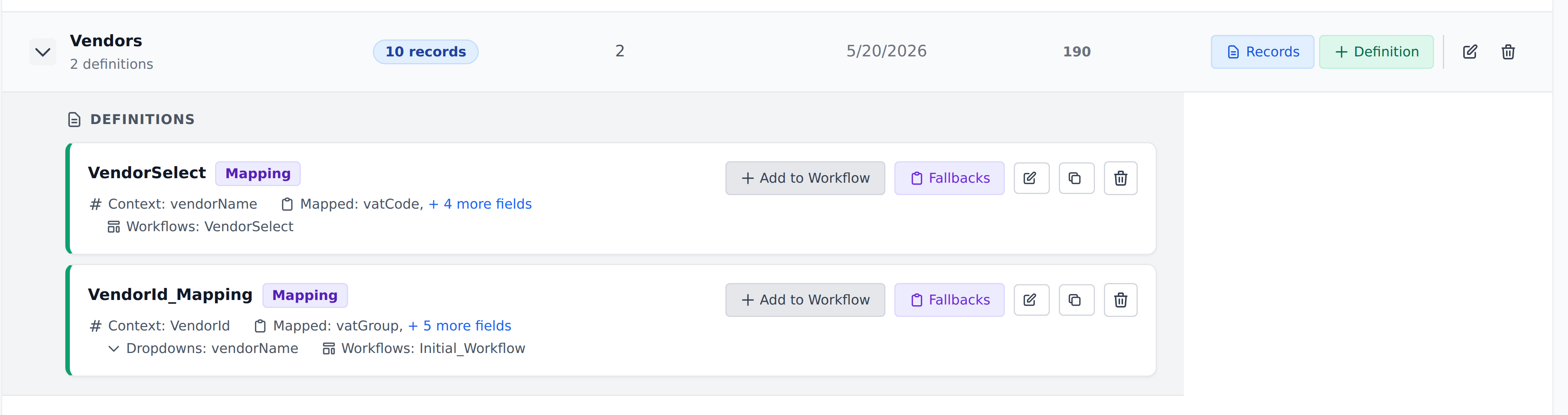
You configure fallbacks per definition, from the Fallbacks button on its card.
When a lookup finds no match
A full match satisfies every Context comparison. If no row does, the engine checks for an applicable fallback.
Without explicit fallback configuration, a row previously marked as a default can still supply values from the partial matches. If there is no applicable fallback or default row, the mapped lookup writes nothing. Existing mapped values remain, and the next workflow step runs.
This can explain why a field stays unchanged even though the workflow ran: the lookup found no row to supply a new value.
The two fallback levels
| Level | When it applies | Substitute values |
|---|---|---|
| Level 0 | The first Context column matches no rows. | One configured fallback record. |
| Level 1 | The first Context column matches rows, but a later comparison leaves no full match. | A fallback configured for that first Context value. |
Level 1 can handle a miss on the second, third, or a later Context column. There are no separate Level 2 or Level 3 rules.
Walking an example
Consider a Mapping Definition with three document-level Context columns, all using Exact matching: customerInitials, vendorAccount, and productCode.
| Lookup outcome | Result |
|---|---|
| All three columns match a row | Use the matched row; no fallback. |
| Customer matches; vendor and product match no full row | Use Level 1 for that customer. |
| Customer and vendor match; product does not | Use Level 1 for that customer. |
| Customer matches no rows | Use Level 0. |
The two partial-match cases use the same customer-specific Level 1 entry. You cannot distinguish a missing vendor from a missing product by assigning them different fallback levels.
Levels do not fall through
If the selected level has no configured record, it supplies no values. In particular, a Level-0-only configuration does not cover a lookup where the customer matches but the vendor does not.
For Level 1, configure an entry for each first Context value you want to cover. An entry for customer AC does not cover customer BD.
Once explicit fallback configuration exists, it replaces the older default-row search. Do not assume a default-marked entity row will fill a gap in a partially configured fallback setup.
Designing fallback values
Choose values that help the reviewer understand the lookup failed. For example, an Unknown vendor record can fill vendorName while leaving fields that need review empty.
A fallback uses the same mapped-value rules as a matched record. An empty mapped cell does not overwrite an existing document value. If the fallback supplies vendorName="Unknown vendor" and an empty glAccount, the old GL account remains.
For customer-specific defaults, put the customer discriminator first in the Context and configure its Level 1 entry. Use Level 0 for cases where the customer itself has no match.
Fallback configuration stores the selected values. After changing the source entity row, reopen the fallback configuration and check the saved values too.
When to use fallbacks
Use a fallback when the substitute values help the reviewer proceed or clearly identify missing reference data. Leave the lookup unmatched when a fallback would hide a missing vendor, account, or product that someone needs to correct.
Fallbacks apply to one lookup at a time. Later steps see the values that lookup writes, and the workflow continues in its declared order.
Dropdown lookups
Document-level Dropdown Definitions use their actual matching rows and do not apply the Level 0/1 fallback selection described here. An empty dropdown lookup can clear its option list and selected value. See Dropdown columns for that behavior.
What's next
- Configure fallback records — choose substitutes and check the missing-match cases.
- The empty-cell rule — understand which existing values a fallback preserves.
- Cascade behavior — see how a lookup's writes affect later workflow steps.