
Appearance
Fallback records
Configure a definition's fallback records from its Fallbacks button. For document-level Mapping lookups, Level 0 covers a first-column miss and Level 1 covers a later mismatch.
For the matching rules and default-row behavior, see Fallback records. This page covers configuration and checking the result.
Where to configure
Expand an entity's row and click Fallbacks on the definition's card. The Manage Fallbacks dialog lets you select existing entity records as substitutes.
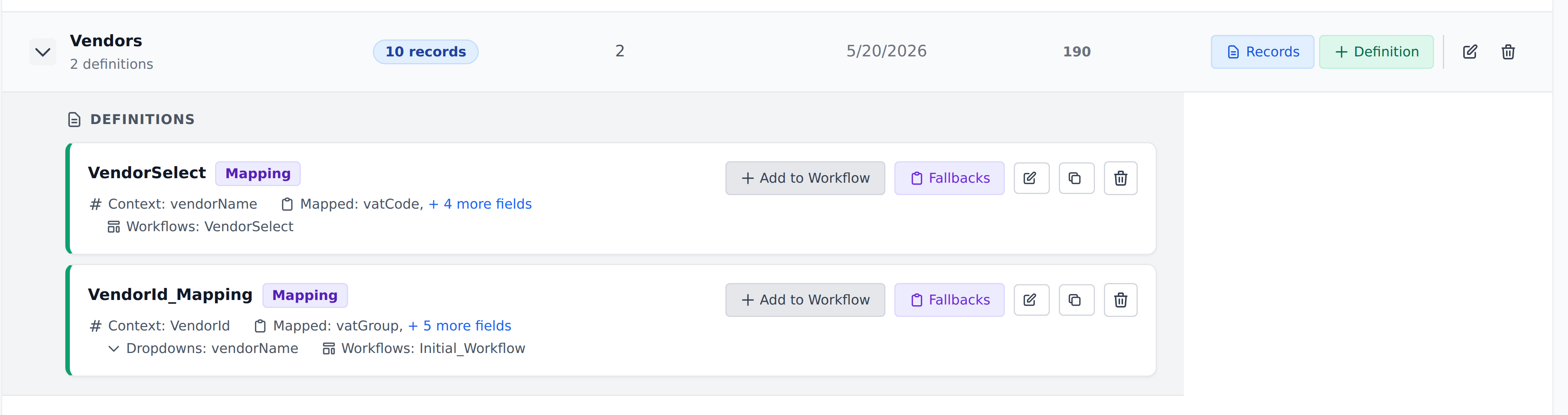
The supported runtime levels are:
| Level | Configure it for |
|---|---|
| Level 0 | No rows match the first Context column. Choose one fallback record. |
| Level 1 | The first Context column matches, but a later column does not. Choose fallback values for each first Context value you need to cover. |
A definition with one Context column only needs Level 0. Multiple Context columns can use Level 1 as well; additional columns do not add more runtime levels.
Choose the substitute values
For a (customerInitials, vendorAccount, productCode) Mapping lookup, put the customer discriminator first. You can then configure:
- Level 0: a generic record indicating that the customer was not recognized.
- Level 1 for
AC: customer AC's defaults when a narrower lookup fails. - Level 1 for
BD: customer BD's defaults for the same situation.
Both a vendor mismatch and a product mismatch use that customer's Level 1 entry. They do not select different levels.
Choose records with values that make the missing match visible. Empty mapped cells preserve existing document values, so inspect every field whose old value would be inappropriate after a mismatch.
The selected fallback values are saved with the definition. When you edit the source entity data, check the saved fallback configuration as well.
Check the configured cases
Use sample documents to check the lookup's outcomes:
- Full match: confirm that the actual matched row supplies the values.
- First-column miss: confirm that Level 0 supplies the intended values.
- Later-column miss: confirm that Level 1 supplies the entry for the first Context value.
- Unconfigured Level 1 entry: confirm that the mapped lookup leaves existing values unchanged.
A Level-0-only setup does not cover the third case. Levels do not fall through, so configure the Level 1 entries you need explicitly.
These examples describe document-level Mapping Context. Check line-item definitions separately. Document-level Dropdown lookups do not use these fallback levels; see Dropdown columns.
Removing fallbacks
Clear the selected record in the Manage Fallbacks dialog to remove that entry. A missing entry supplies no fallback values for its matching case.
If all explicit fallback configuration is removed, an existing default-marked row among partial matches can still provide mapped values. Check the result on a sample document instead of assuming that clearing the dialog always produces an unchanged field.
What's next
- Fallback records — understand the two levels and default-row behavior.
- Context columns — choose and order the lookup comparisons.
- The empty-cell rule — understand which values remain after a fallback.
- Definitions overview — review the other definition settings.