
Appearance
Validation rules
Recognito's validation model is simple: fields can be mandatory or optional, and a mandatory field with the value
—Not set—blocks Validate and Approve. There's no rich validation expression language today — just the mandatory flag and the empty-cell check.
This page covers what validation does and doesn't do, and how to think about field mandatoriness when designing a project.
The mandatory flag
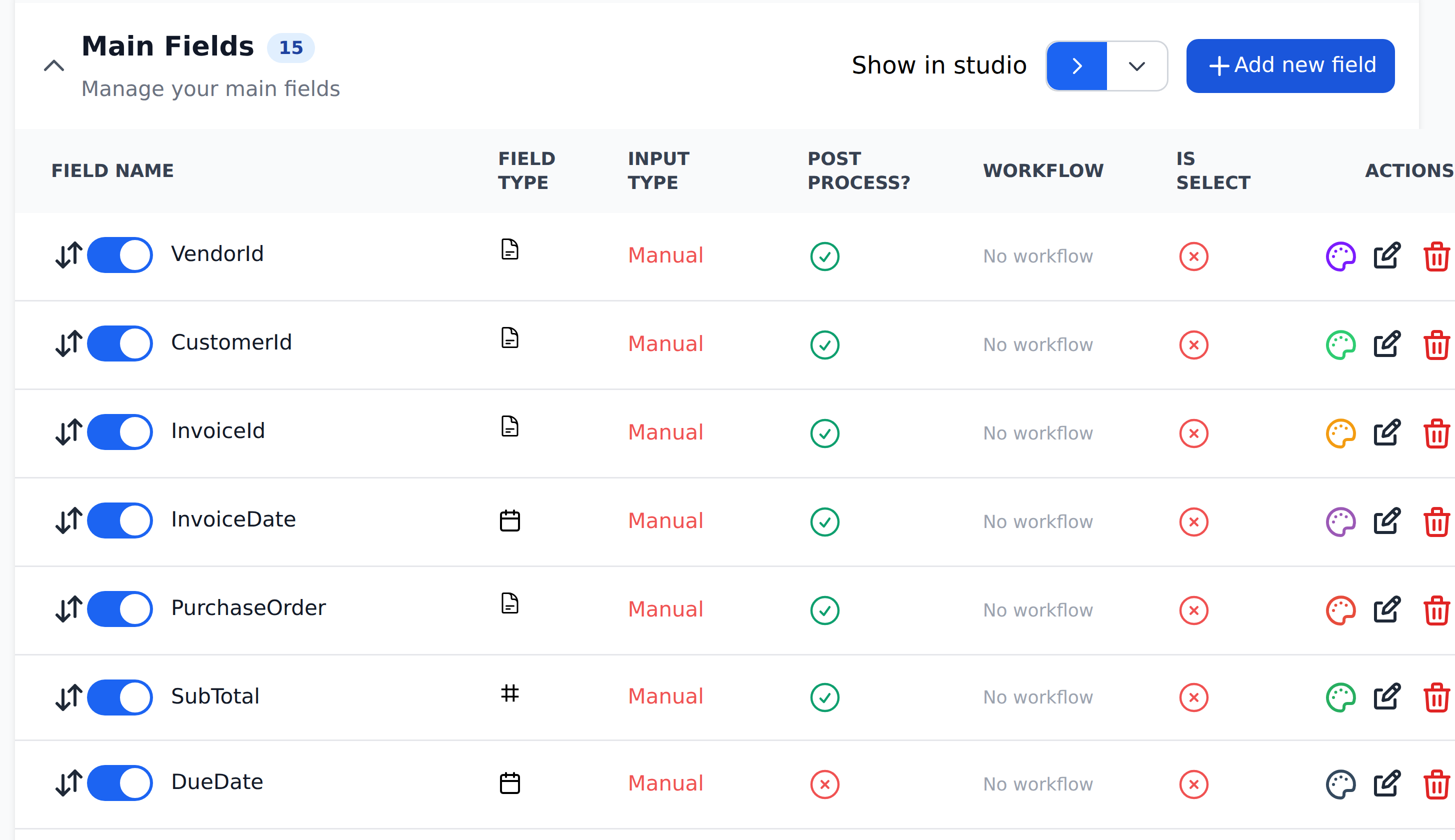
Each field has a mandatory toggle in Settings → Document fields. When mandatory:
- A field left empty shows
—Not set—in Studio. - The
Validatebutton stays disabled until the field has a real value. - The
Approvebutton has the same gating — you can't sign off on a document that's still missing mandatory data.
Mandatory is the only validation-shaped property on a field today. There's no min/max length, no regex, no value-range check, no cross-field dependency.
What counts as "not set"
The specific value —Not set— is Recognito's systematic empty marker. It's what fields show when:
- Extraction found nothing.
- A Mapping lookup ran but had no matching entity row.
- The reviewer cleared the field manually.
—Not set— is different from an empty string or null. The product specifically tests for this marker when deciding whether to enable Validate / Approve.
A mandatory field with —Not set— blocks. A mandatory field with any real value — even a single space or a zero — passes the check.
Zero is a real value
A mandatory TaxAmount field with the value 0.00 passes validation, because 0.00 isn't —Not set—. If you need to enforce non-zero amounts, you can't do that with the mandatory flag alone — you'd need a Mapping definition that flips the field to —Not set— when the value is zero. Most projects accept the limitation and rely on reviewer discipline.
Designing for validation
The mandatory flag is most useful for fields where:
- Missing the field would cause downstream problems. A missing vendor name breaks the ERP export. A missing total breaks reconciliation. A missing tax amount breaks tax filings.
- Mapping should have populated it. If your Mapping is supposed to fill
erpVendorIdand didn't, you want the reviewer to fix it (typically by adding the vendor to the Vendors entity) before the document moves forward. - A reviewer must manually decide. A
departmentfield that no automation can determine — the reviewer has to pick. Mandatory ensures they don't skip it.
Don't make every field mandatory. Reviewers facing a document where 20 fields are mandatory but half of them are routinely empty will fill them with junk to clear the gate. Mandatory works best when it's used sparingly and consistently.
Mandatory and Mapping
When Mapping is supposed to populate a field, mandatory plus —Not set— becomes the safety net:
- Mapping runs at extraction time (
Initial_Workflow) and tries to populate the field. - If the lookup succeeds, the field gets a real value and validation passes.
- If the lookup fails (silent no-op), the field stays
—Not set—and validation blocks.
The reviewer sees the empty field and knows something is missing — typically a row in an entity that didn't match what was on the document. They add the missing row, click Reset data on the field, and the Mapping re-runs.
This is the canonical pattern for catching "vendor not in our master" cases during review.
What validation doesn't do
A few things you might expect that aren't in the product:
- Format validation. No regex, no email-format check, no "must be valid IBAN."
- Cross-field rules. No "Total must equal SubTotal plus TaxAmount."
- Conditional mandatory. No "this field is mandatory only when X."
- Value ranges. No "between 0 and 1,000,000."
If you need any of these, today's path is either:
- A Mapping rule that checks the value at extraction time and writes a flag field — not validation per se, but visible to the reviewer.
- A reviewer-discipline expectation, documented in your internal team guide.
- A custom integration on the API side that runs additional checks before the downstream system accepts the data.
Tighter validation may come in future releases. For now, plan around the simple mandatory flag.
Validation and Document lock
Document lock (Settings → General → Document lock settings) makes fields read-only at certain statuses, which interacts with validation:
- A field locked at
Validatedcan't be edited after the reviewer clicks Validate. If a mandatory field was somehow set to—Not set—after Validate (rare), no one can fix it without Override. - A field locked at
Approvedis similarly frozen after approval.
In practice, the mandatory check fires at Validate time and locks happen at status changes, so the two rarely conflict. The edge case (a mandatory field clearing post-Validate) shouldn't happen during normal flow.
Bulk-marking fields as mandatory
There's no bulk "make these 10 fields mandatory" action today. You toggle the flag per field in Settings → Document fields. For projects with many mandatory fields, expect to make the changes one at a time.
If you're cloning a configuration from another project, the field schema isn't currently exportable / importable as a bulk operation. Recognito support may be able to help for complex migrations.
What's next
- Field categories — the conventions behind the five categories.
- General settings — document lock and other project-level controls.
- Mapping & Workflows — populating mandatory fields via lookups.