
Appearance
What Recognito is
Recognito reads business documents — invoices, receipts, purchase orders — and turns them into structured data: vendor, total, line items, tax, plus your own codes and routing. You upload; it extracts; you confirm; the data flows to your systems.
What it does
Recognito is a structured-document extraction platform. You send it a document, it reads the fields you care about, and you get structured data back — ready for your ERP, your spreadsheet, or your data warehouse.
Every document goes through three stages:
- Extraction — OCR and machine learning read the values off the page.
- Mapping — your rules match those values against your reference tables, fill derived fields, and route approvals.
- Export — the finished data leaves Recognito for wherever you need it.
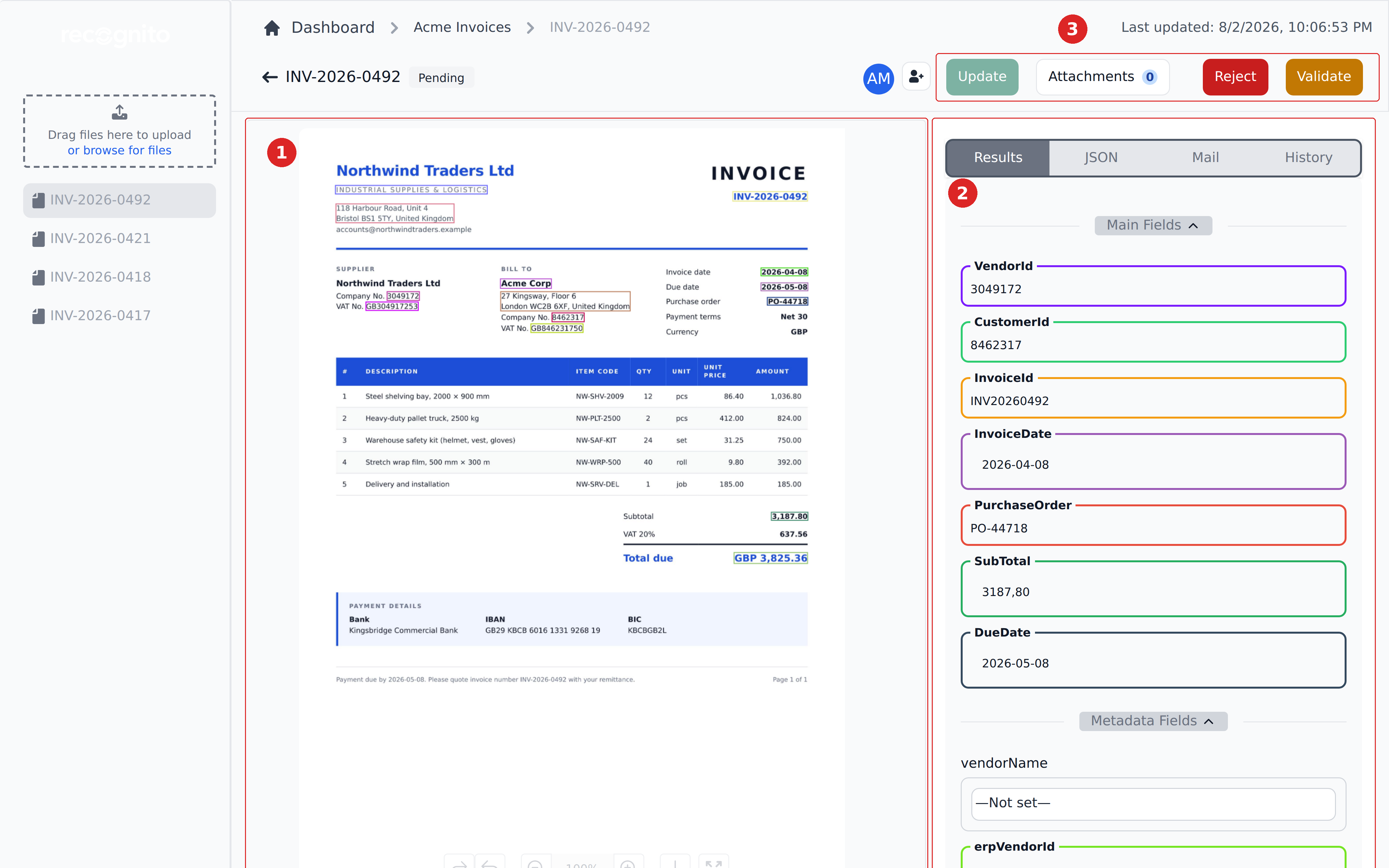
Here's what that looks like in practice. The document sits on the left, with a box drawn around every value the engine read; the structured result sits on the right, ready to check.
How Recognito works walks through each stage.
What you can run through it
Recognito ships extraction models for Invoice, Receipt, and Handover & Acceptance Certificate documents. Invoices are the best supported — the default fields, examples, and onboarding all assume them.
Any other repeatable layout runs through a custom model: delivery notes, testing certificates, purchase orders you receive from clients, and so on. These are added on request. If a person can read a consistent set of fields off the page, Recognito can be set up to do the same.
What Recognito adds after extraction
Reading fields off a page is half the job. The other half is the configurable layer that runs after extraction:
- Match an extracted vendor name to your vendor master, so the document carries your IDs, not the supplier's spelling.
- Look up GL codes, cost centers, and departments from your chart of accounts.
- Route approvals by amount, vendor, or department, using your rules.
- Reshape the output to the exact JSON your ERP expects, without changing the ERP.
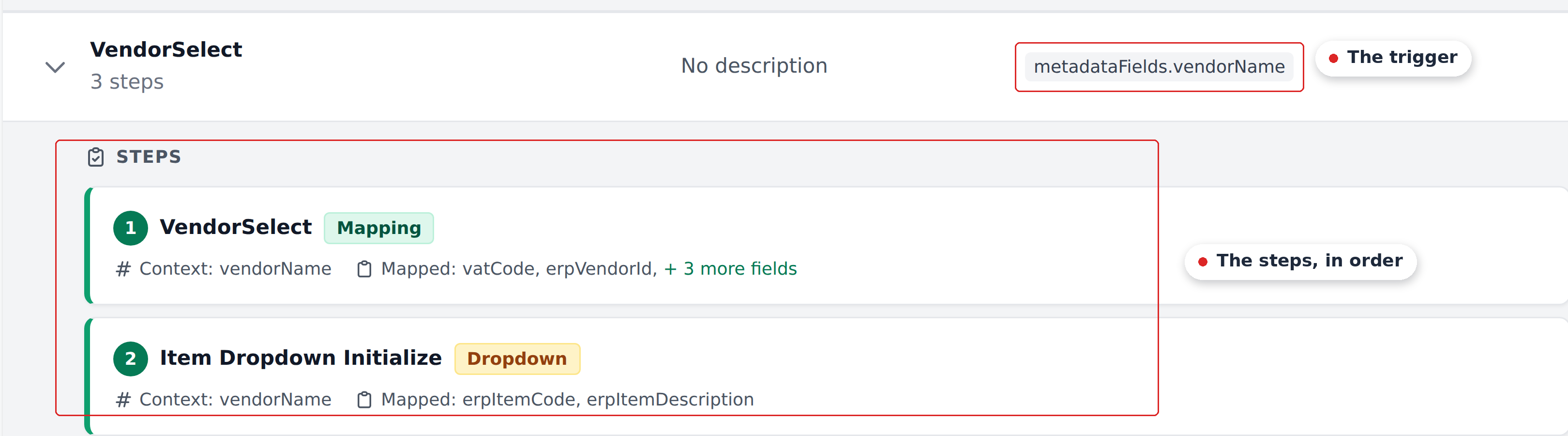
Admins configure all of it through the UI, no code. The engine behind it is called Mapping, and it's where most customers spend their setup time.
What's next
- Account setup — sign in, switch between organizations, set up your profile. The next step if you're going to use Recognito rather than evaluate it.
- 5-minute quick start — upload a document and watch extraction run.
- How Recognito works — the mental model: projects, fields, the two status tracks, and the Mapping engine. Read this before configuring anything.