
Appearance
n8n
Recognito ships a first-party node hosted in n8n's nodes catalog. Customers add the Recognito node to an n8n workflow, paste an API key, and the node calls Recognito's API. All configuration lives on the n8n side.
This page covers where the node lives and how to wire it up. For n8n's own concepts — workflows, nodes, credentials — see n8n's documentation.
Where the node lives
The Recognito node is hosted in n8n's nodes catalog. All configuration happens inside n8n, not in Recognito's Settings.
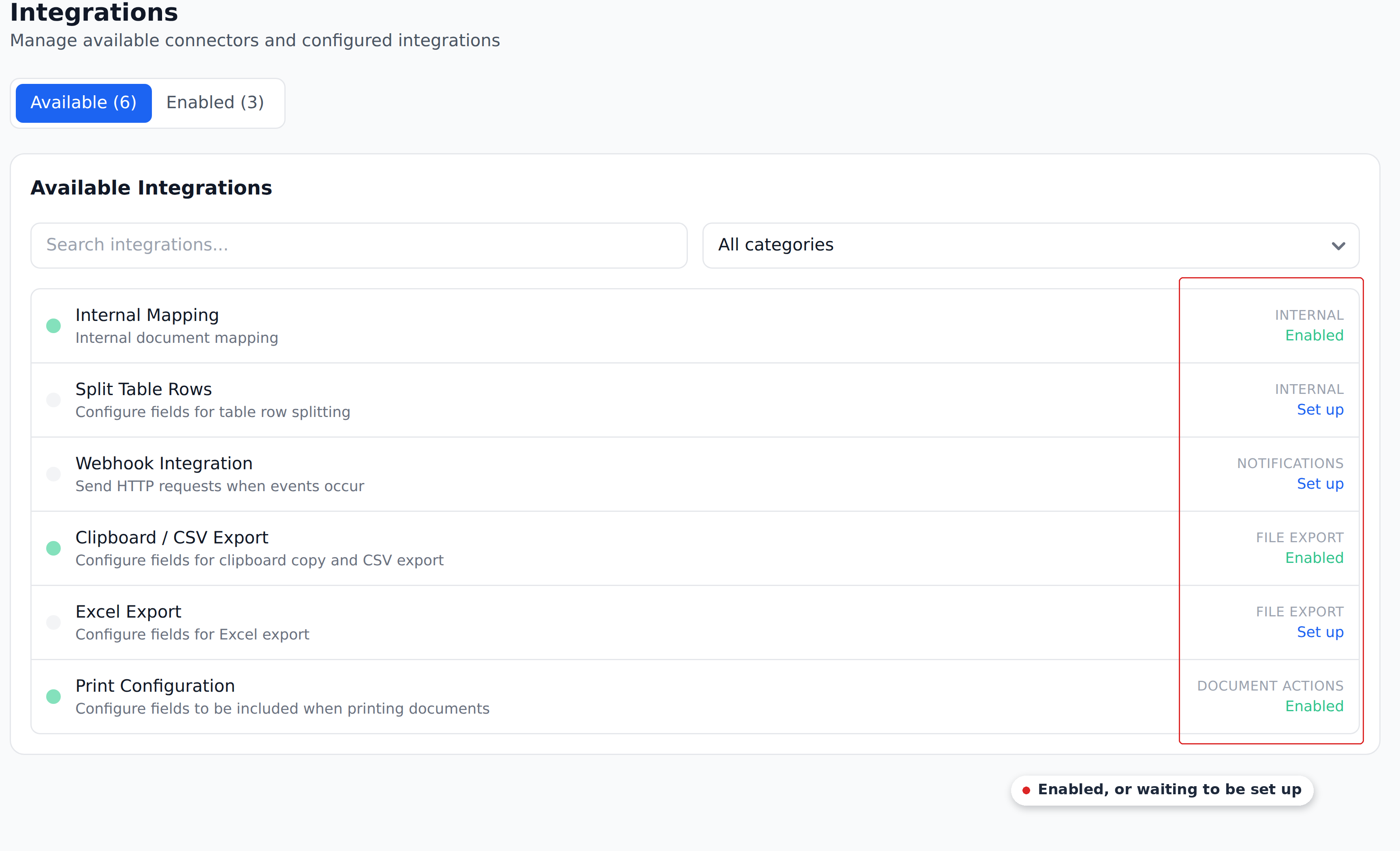
There is no n8n card in Recognito's Settings → Integrations. If you go looking for one expecting it to be there, that's why — the integration is configured entirely on the n8n side.
The flow depends on your n8n deployment:
- n8n Cloud — the Recognito node is available out of the box. Search
Recognitoin the node picker. - Self-hosted n8n — install the Recognito node package if it isn't already bundled. Specifics depend on your n8n version.
Then:
- Generate an API key in Recognito at Settings → Organization → API Keys. Pick the scopes the node needs.
- Open n8n.
- Add the Recognito node to a workflow.
- Paste the API key when prompted (n8n stores it as a credential).
- Configure the rest of the workflow inside n8n.
What you can do with the node
The n8n node calls Recognito's API. Common scenarios customers build:
- Upstream pipeline → Recognito. Documents arriving from upstream sources get uploaded to Recognito for extraction.
- Recognito → downstream system. When a document is approved, fetch its data via the node and push to your ERP, data warehouse, or notification channel.
- Multi-step orchestration. Recognito alongside other systems in a single n8n workflow with branching, error handling, and scheduled re-runs.
What the node supports specifically — which trigger nodes, which regular nodes, which operations — is documented on n8n's catalog listing for the Recognito node. Check there for the current capability matrix.
Self-hosted vs n8n Cloud
The Recognito node works the same on both:
- n8n Cloud — managed deployment. Less to maintain.
- Self-hosted — runs on your infrastructure. Required for some compliance regimes.
For self-hosted, make sure your n8n instance can reach api.recognito.io. If your n8n is also on-prem and Recognito is on-prem, point the node's base URL at your internal Recognito API endpoint.
Authenticating the node
n8n requires credentials in its own credential store:
- Generate an API key in Recognito. Settings → Organization → API Keys. Pick the scopes your workflows need.
- In n8n, add a new credential of type "Recognito API."
- Paste the API key.
- Test the connection.
Once saved, every Recognito node in any n8n workflow can reference the credential. n8n stores credentials encrypted.
Use a scoped API key
Same advice as Make.com — create an API key for n8n specifically, with only the scopes the node uses. Easier to rotate without affecting other integrations. The four available scopes are: Upload documents, Get documents using custom schema, Get entity records, and Insert / Update / Delete entity records.
n8n vs Make.com
The two platforms are similar in capability. The choice usually comes down to:
- Already using one? Use that one.
- Want to self-host? n8n is the natural choice — Make.com is SaaS-only.
- Want a polished managed offering? Make.com.
- Want open source? n8n is open source; Make.com is proprietary.
Functionally, either platform handles what Recognito users need. Pick based on operational fit.
What's next
- Make.com — the Make.com equivalent.
- Webhooks — the simpler alternative when orchestration isn't needed.
- API Reference — for direct integration without n8n.