
Appearance
Getting Started
Hey—welcome to the Recognito docs. This short track gets you from zero to your first successful extraction, then points you to the right next steps.
Create your account
Go to the Recognito login page: https://app.recognito.io/login.
On the login screen, select Sign up to open the account creation page.
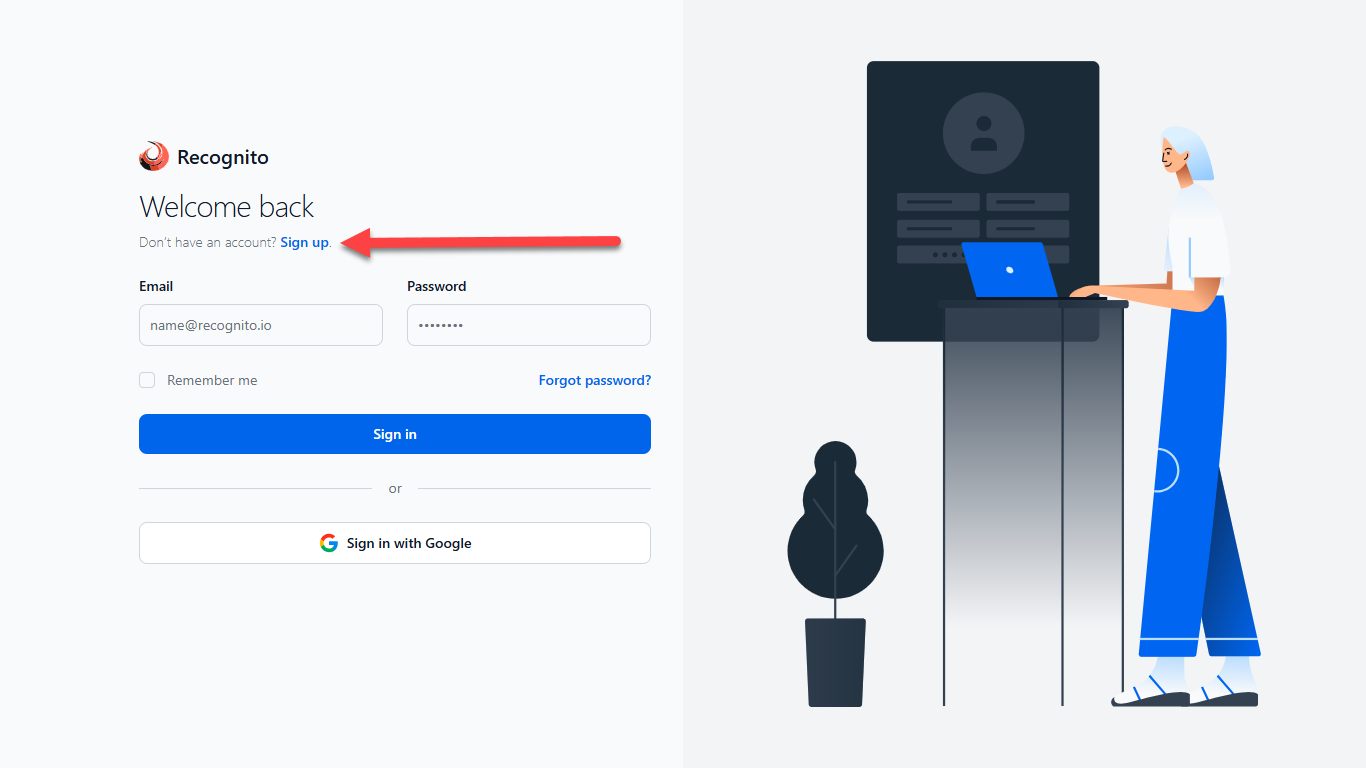
Login screen — select Sign up to create a new account. On the Create your account screen:
- Choose Sign up with Google or continue with your email
- Enter your email address
- Accept the Terms of Use and Policy
- Check Email me about product updates and resources
- Select Next to continue
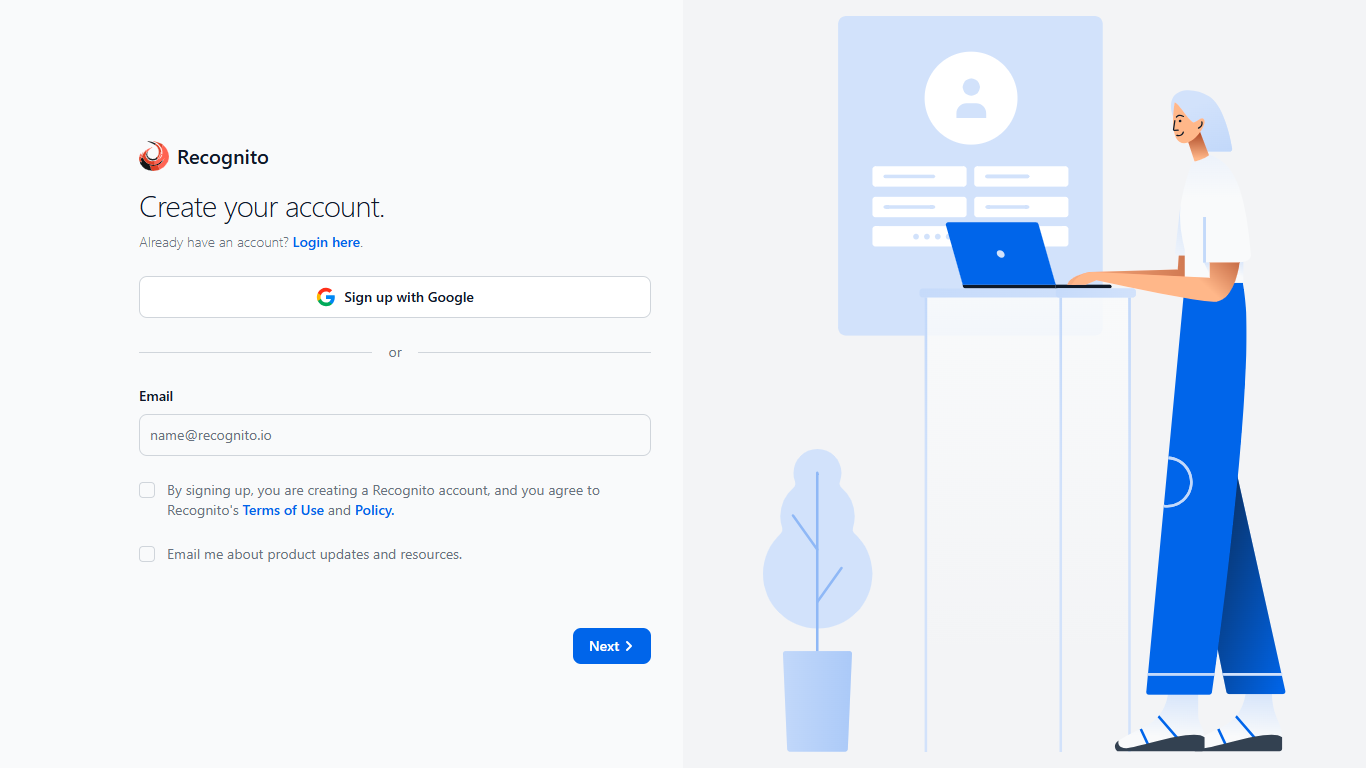
Create your account — continue with Google or enter your email, accept the terms, and select Next. On the Create your account page (basic details):
- Enter your full name
- Enter your organization name
- Select Next to continue
- If you need to go back to the previous step, select Previous
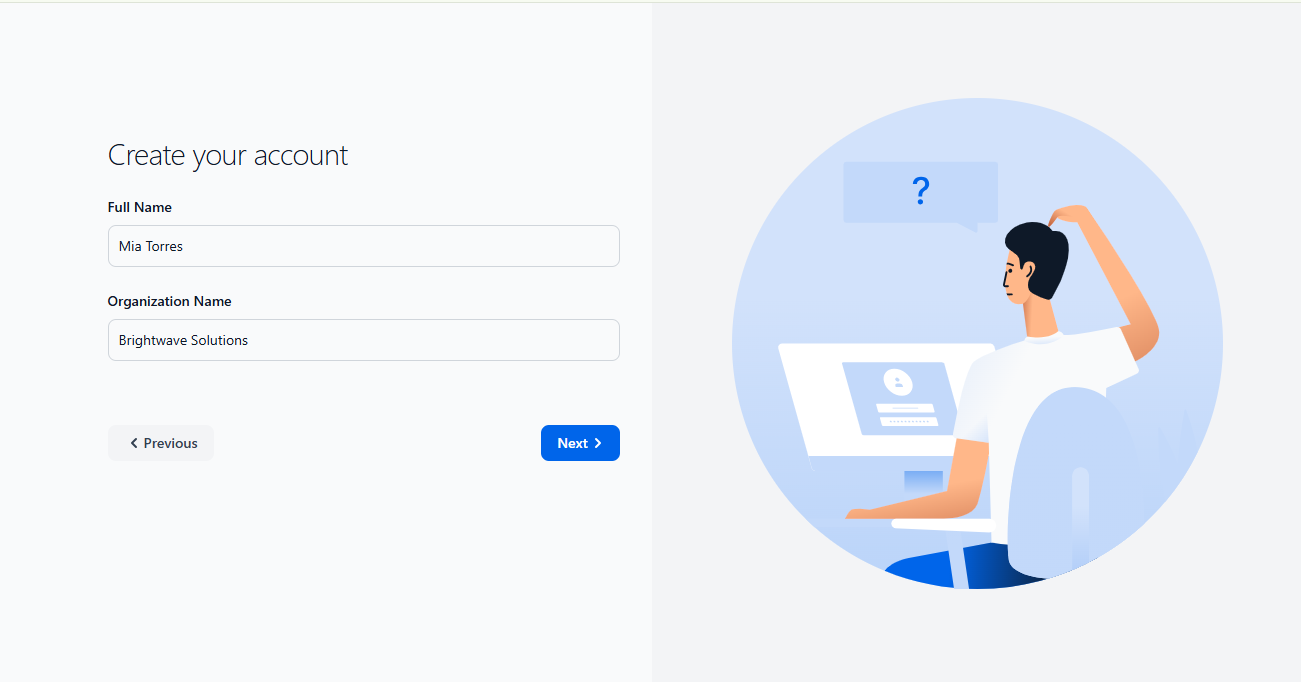
Enter your basic details — you can use Previous to go back. Complete onboarding setup:
- Select the document types you want to process then Next to continue.
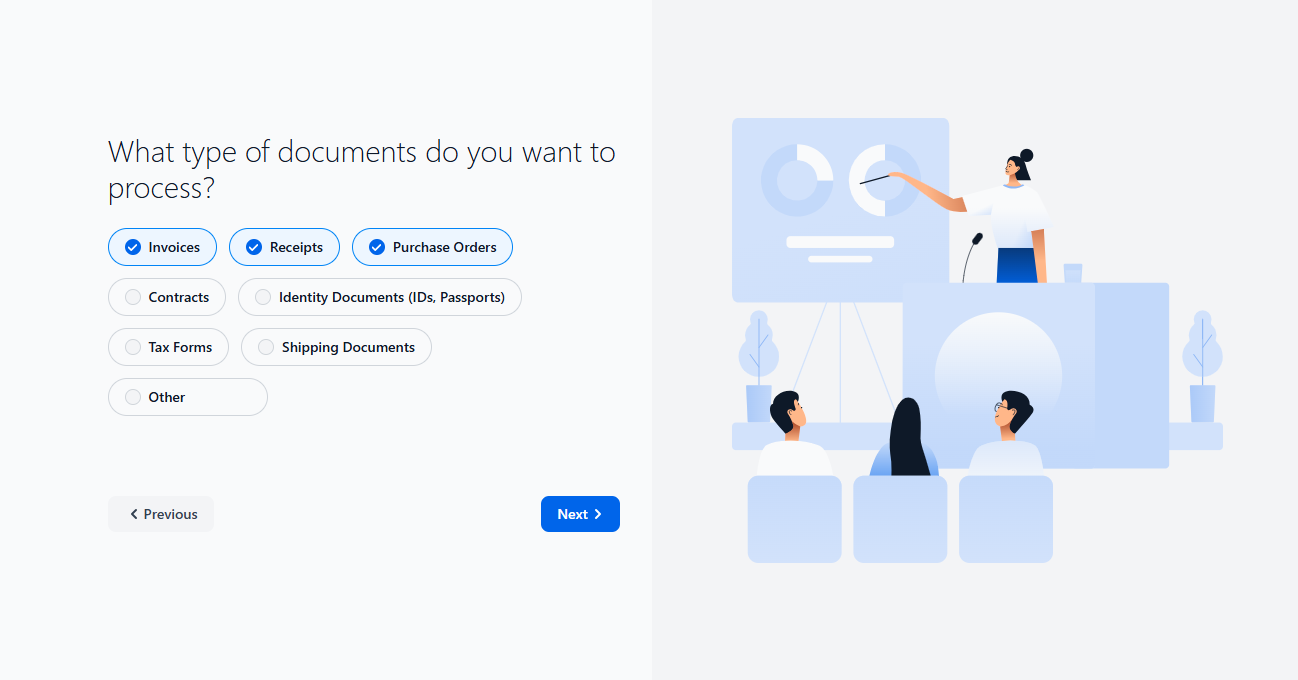
Choose the document categories your team works with. You can select one or multiple options. - Select your industry then Next to continue.

Choose the industry that best matches your organization. - Select your primary goal then Next to continue.
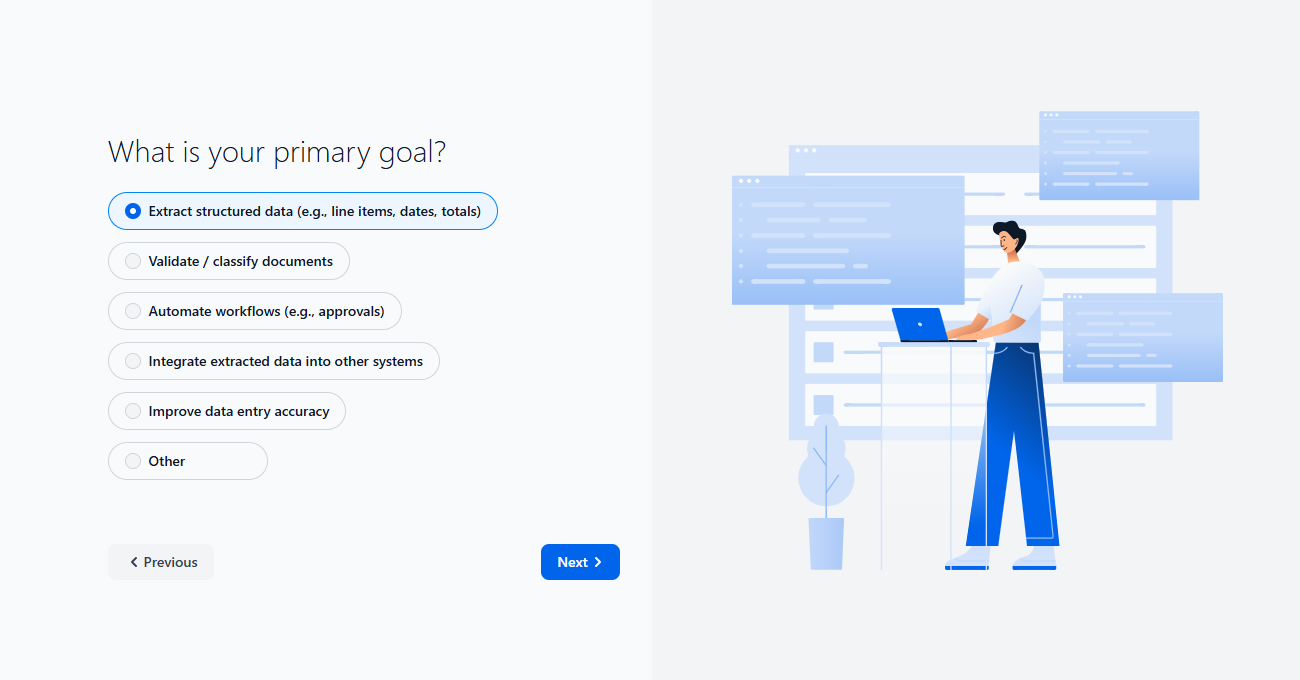
Choose the main reason you are using the platform. - Indicate how many people will use the platform then Next to continue.
Choose the approximate number of users who will access your workspace. - Select the tools you need to integrate with. You can select as many as needed.
Choose the systems or services you plan to connect to the platform. When finished, select Complete Registration.
What you can do next
- Run the 5‑minute Quick Start to upload a file and get results
- Learn the basics of document types and confidence scores
Start here
- Quick Start — 5 minutes, copy‑paste ready
- Your First Extraction — a bit more context and tips
- Account Setup — manage keys, webhooks, and preferences
Next steps
- Explore Document Types and Workflows